Guides ·
Find the best chess move in any position, free, in your browser
Open calichess.cc, play the moves on the board, and it tells you what to play next, how good that move is, and why. No download, no account.
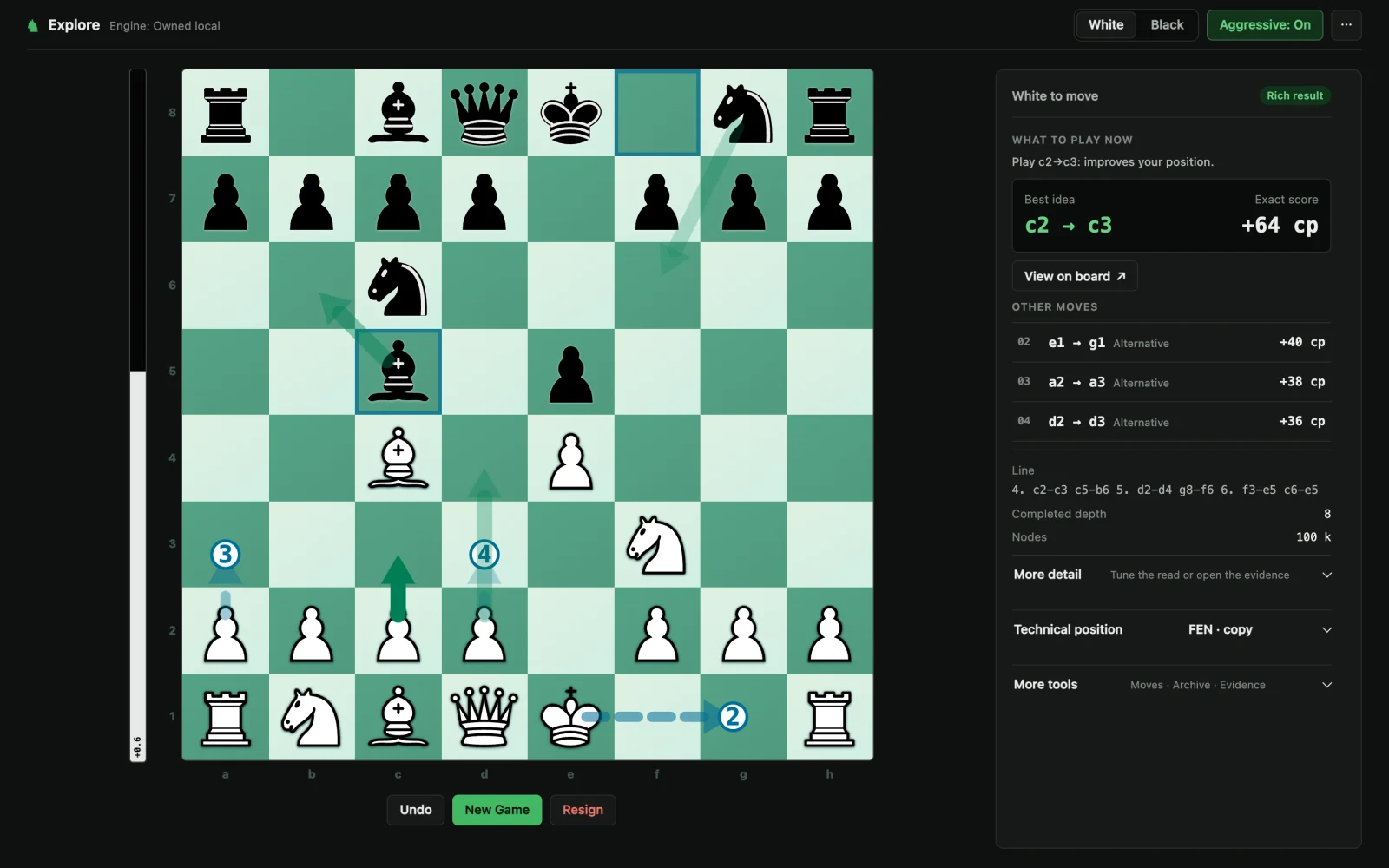
How to use it, step by step
- Pick your side. White or Black, top right. The engine always answers for that side.
- Play the moves on the board. Click a piece, then the square. You move both sides, so you can rebuild any game.
- Read the panel. After each move, the right side shows what to play now. It takes about a fifth of a second.
What each part of the panel means
| Part | What it tells you |
|---|---|
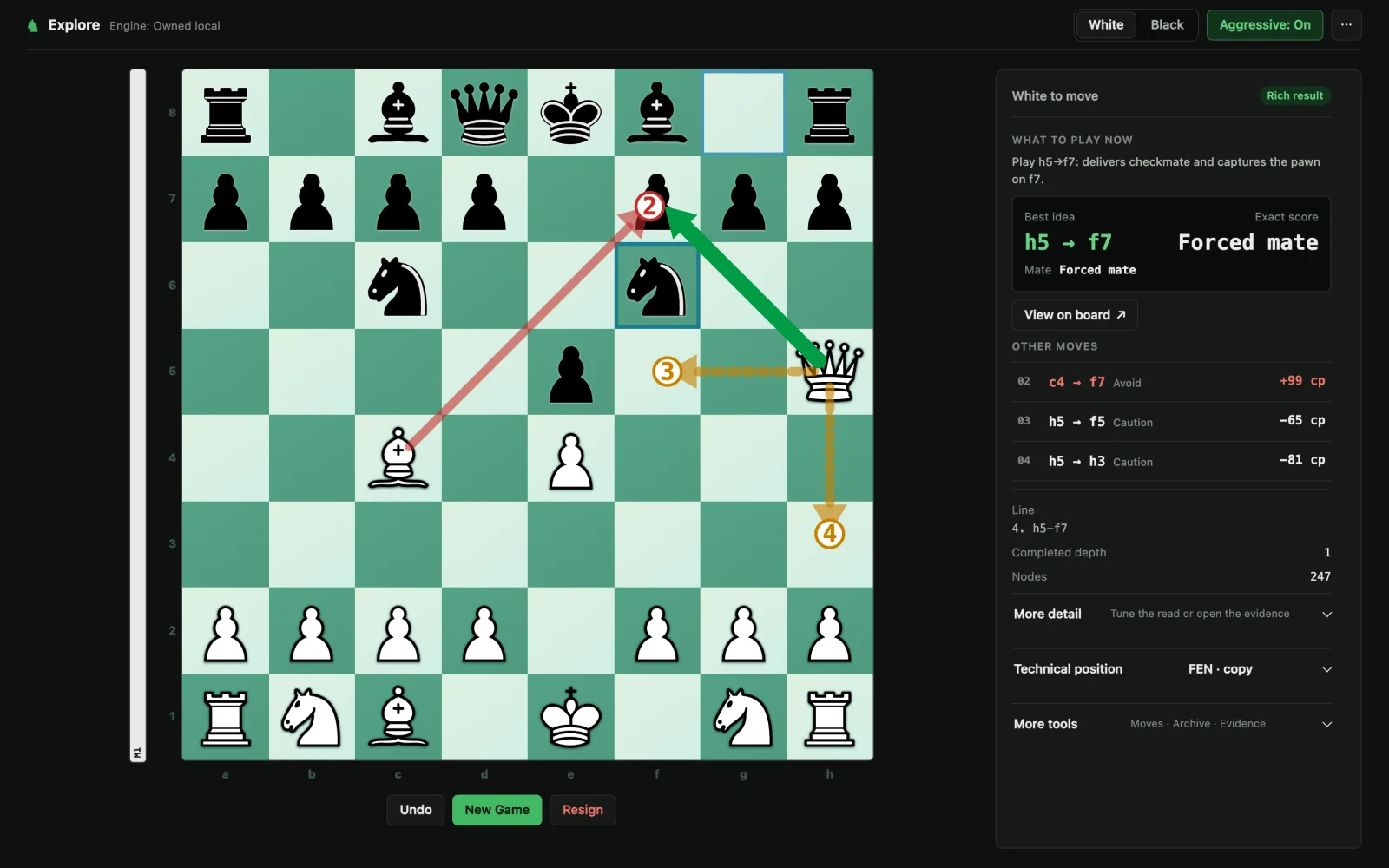
| What to play now | One sentence with the reason, for example "Play h5→f7: delivers checkmate." |
| Best idea | The move it recommends, with its score in centipawns (hundredths of a pawn). Plus is good for you, minus is bad. |
| Other moves | Three alternatives, numbered 2 to 4, also drawn as arrows on the board. |
| Line | How it expects the game to continue if both sides play well. |
| Depth and nodes | How far ahead it looked (depth 8 means 8 moves) and how many positions it checked. |
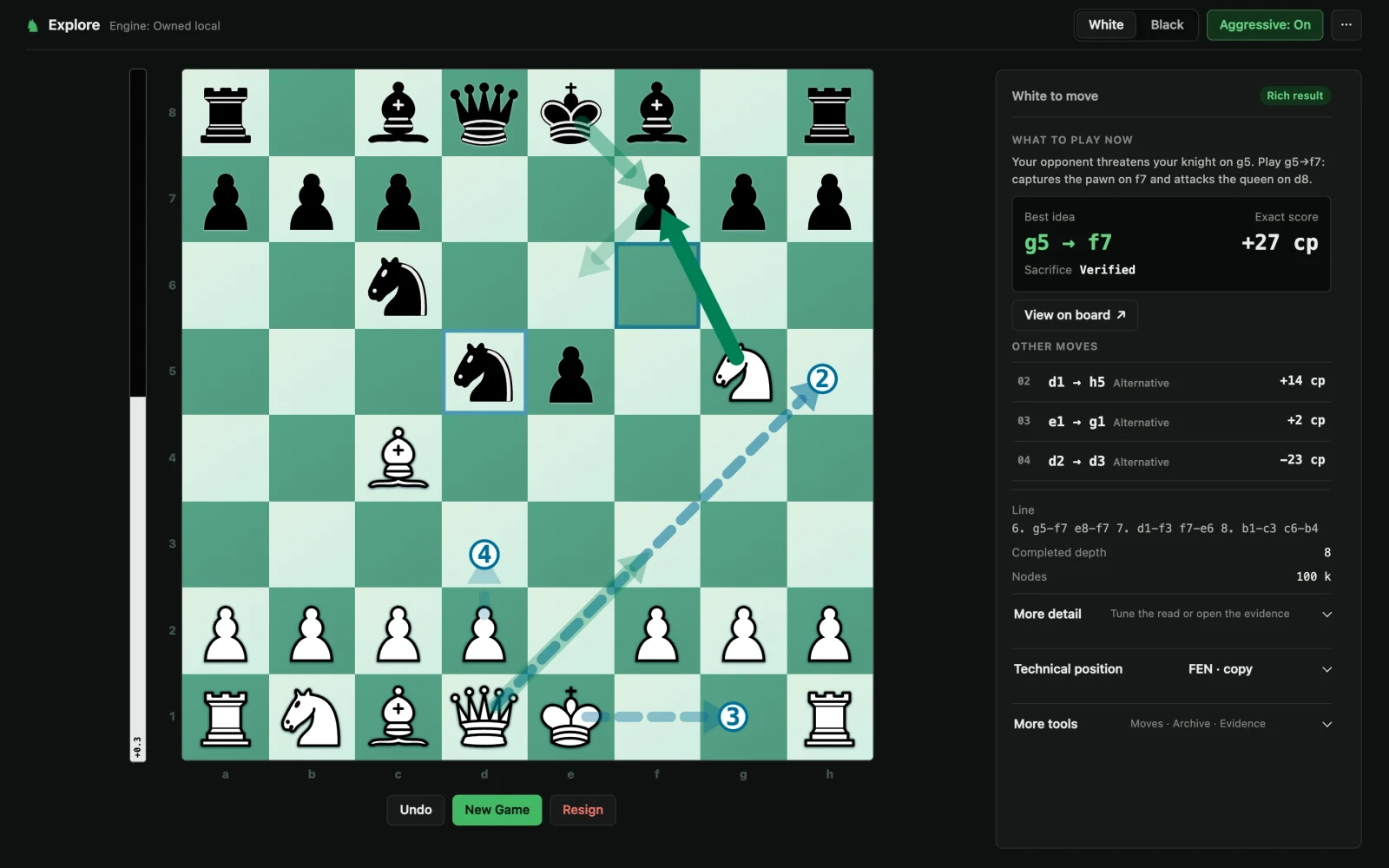
It explains the move, not only the score
Most engines give you a number and a move. This one also writes a sentence: what your opponent threatens, what your move captures or attacks, and whether it is check or mate.
When there is a forced mate, it says so instead of showing a score:
Aggressive mode
With Aggressive on, the engine still checks every option, but when two moves are almost equal (within half a pawn), it prefers the one that attacks the enemy king. You never give up more than half a pawn for a sharper game.
Why it runs in your browser
The engine is written in Rust and compiled to WebAssembly, a format browsers run almost as fast as a normal program. The whole engine is a 191 KB download. In the browser it checks 1 to 1.5 million positions per second; that is why it has no server, needs no account, and keeps working without internet.
Questions
Is it free?
Yes. There is no account, no limit and no ads. The engine runs on your own computer, so it costs nothing to serve.
Does it work offline?
Yes. Once the page has loaded, the engine runs inside your browser. Nothing you play is sent anywhere.
How strong is the engine?
About 3039 Elo on the CCRL Blitz scale, measured over 600 games against rated engines. That is far stronger than any club player.
What does +64 cp mean?
cp means centipawns, hundredths of a pawn. +64 means your side is ahead by about two thirds of a pawn. +100 is roughly a full extra pawn.
Can I use it during an online game?
No. Using an engine while you play a rated game is cheating on every chess site. Use it to study your games afterwards.